Twelve formats supported
ZIP / CBZ / RAR / CBR / 7Z / CB7 / CBT / EPUB / FB2 / MOBI / AZW / AZW3 — archives and ebooks in one extension.
 ArcThumbv0.12.0
ArcThumb shows cover thumbnails and preview-pane previews for ZIP, RAR, EPUB, MOBI and more — a tiny shell extension written in Rust.
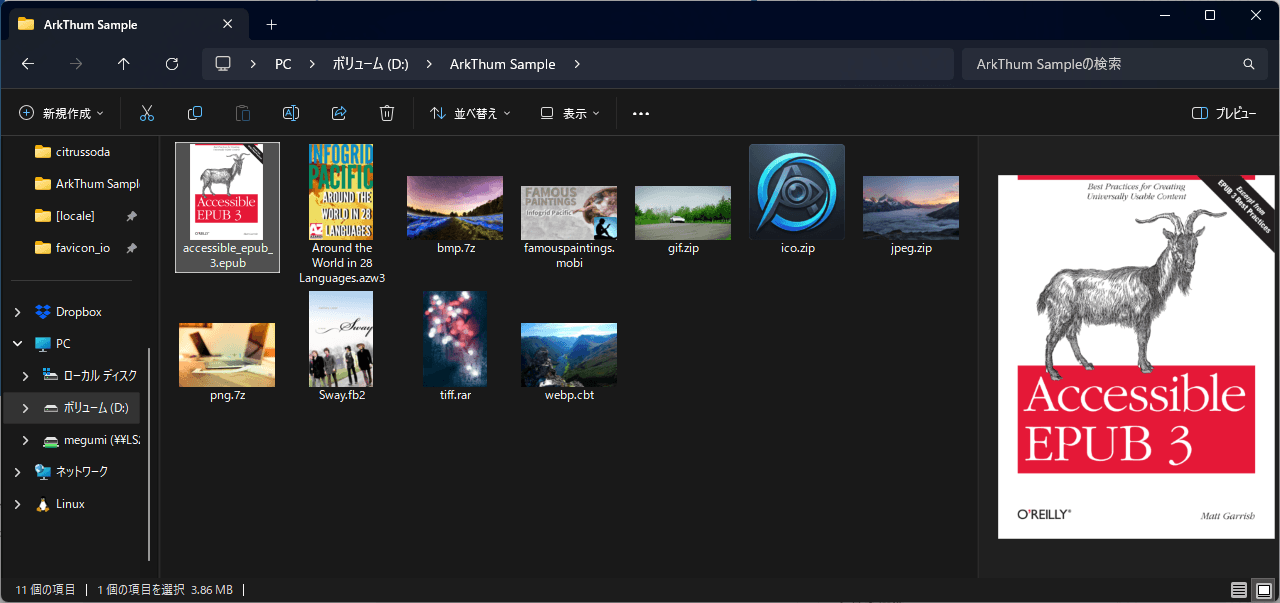
ArcThumb is a small Windows shell extension that extracts cover images from archives (ZIP/RAR/7Z, plus CBZ/CBR comic archives) and ebooks (EPUB/FB2/MOBI/AZW) and renders them as Explorer thumbnails and preview-pane previews. Photo zips, asset packs and tech-book EPUBs — it turns your file manager into a visual gallery.
ZIP / CBZ / RAR / CBR / 7Z / CB7 / CBT / EPUB / FB2 / MOBI / AZW / AZW3 — archives and ebooks in one extension.
Reads OPF manifests for EPUB, coverpage tags for FB2, and EXTH records for Kindle formats to pick the real cover.
Implements IPreviewHandler so Alt+P shows a large cover in Explorer's preview pane.
Per-user install by default. Uninstall any time, no leftovers.
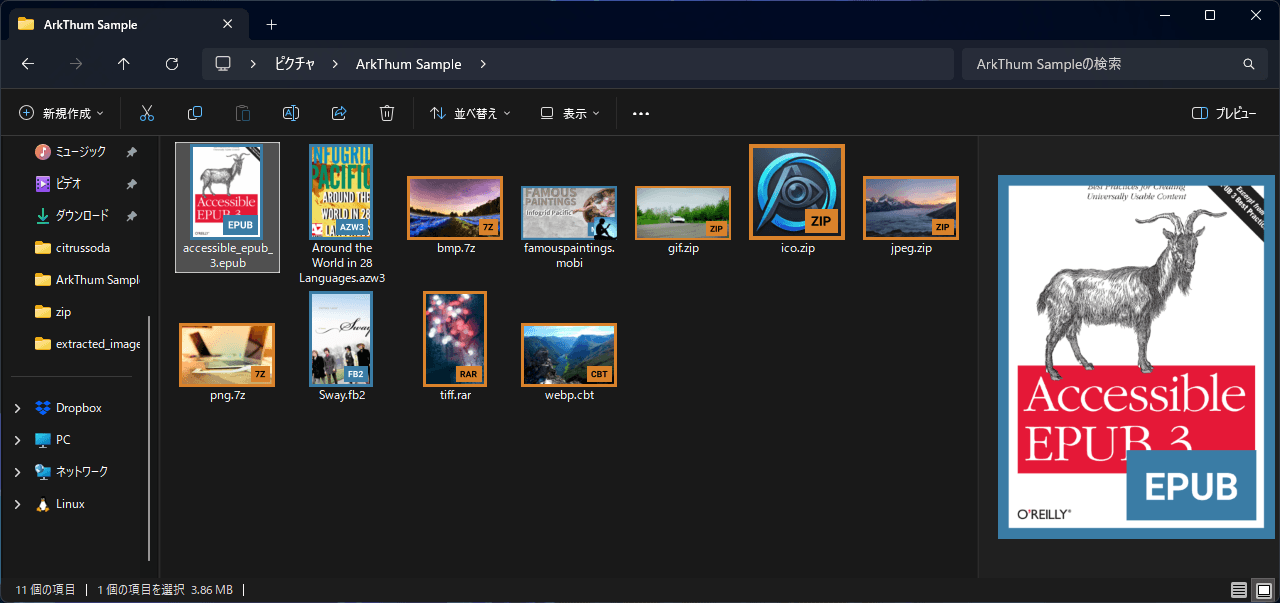
Optionally overlay a format-coloured border and a label (CBZ, EPUB, ...) on each thumbnail so archive covers never get mistaken for plain image files.
AVIF, HEIC and SVG are not supported yet.
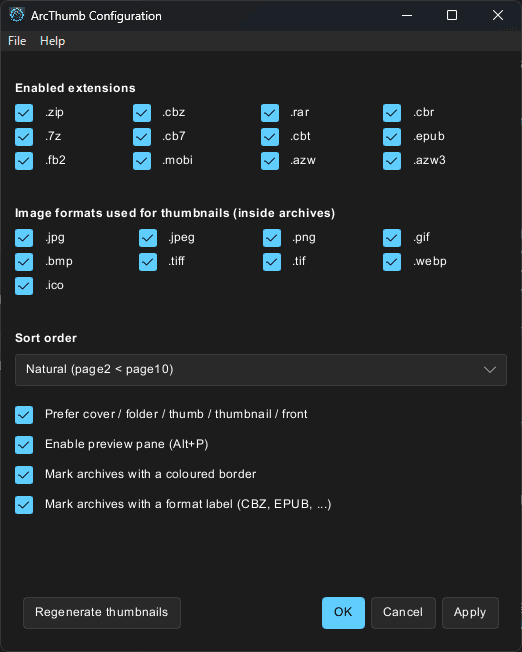
Open ArcThumb Configuration from the Start menu to toggle enabled extensions and image formats, choose the sort order, prefer specific cover filenames, turn the preview pane and the archive overlays (coloured borders, format labels) on or off, and pick the UI language.
Download ArcThumb-Setup.exe.
No admin rights needed — it installs into your user profile.
Open ArcThumb Configuration from the Start menu, tick the formats you want, and hit Apply.
Yes — WebP is supported, along with JPEG, PNG, GIF, BMP, TIFF and ICO. AVIF, HEIC and SVG are not supported yet.
ArcThumb is free and open source. If you've found it useful, your support helps keep development going.